


Every e-commerce operation faces the same challenge: how to minimize shipping costs without compromising speed or reliability. In our recent webinar, “Ship Smarter, Not Harder: Proven Strategies to Cut Costs and Boost Efficiency,” Upright Labs specialists Kristy Shaver and Spencer Kotulski provided a practical roadmap to optimizing shipping settings, leveraging carrier options, and implementing best practices to significantly reduce expenses and enhance team efficiency.
If you missed the webinar, here’s a recap of the strategy from our Upright experts. You can also watch the full recording and review the slide deck.
Turning Shipping from Cost Center to Competitive Edge
Shipping is a critical component of the buyer experience and your bottom line, more than just an expense. By strategically configuring your marketplace settings, making informed packaging choices, and rigorously analyzing performance, you can find substantial operational savings and create a more efficient business.
Mastering Shipping Settings and Policy
Optimizing shipping begins with mastering the granular settings within your software like Lister and marketplaces, specifically those of ShopGoodwill and eBay.
Lister Shipping: Setting Smart Defaults
Key Insight!
“Every second counts when it comes to savings, so ensure you’re taking advantage of all opportunities to save time and money.”
—Kristy Shaver
Kristy Shaver detailed how proper Lister configuration prevents errors and saves valuable time:
- Carrier Rate Management: With Upright Lister, you can confidently manage which carrier services your team uses. The options you enable in Lister appear for your shippers, keeping selections consistent and aligned with what you offer on marketplaces like eBay.
- Packing Requirement: Turn on “Require Packing Before Shipping” to prevent errors like incorrect items or missing combined shipments. This mandates a scan for every item in the box.
- Insurance (ShipSurance): You can save money by setting the insurance value to $100 for lower-value items, since major carriers already cover up to that amount.
- Padding Control: This is crucial. Padding is added only once to the length, width, and height. To prevent errors, set a default padding value. This will ensure the shipping rate is always accurate and prevents issues where items without dimensions or padding may only use the shipping weight, not accounting for package size.
- Example from the Webinar: If an item is 18” x 25” x 4” and you set a 3-inch padding, the system calculates the shipping dimensions as 21” x 28” x 7”.
ShopGoodwill Configuration: Controlling Buyer Charges
Here are some key settings Kristy Shaver shared within the ShopGoodwill Seller Portal that could improve the buyer’s experience:
- Handling Price Cap: This cap can help control the maximum handling fee a customer is charged. This is particularly useful for multi-item orders where combined handling fees can escalate.
- Example from the Webinar: If a listing sets a $25 handling fee, but the global cap on ShopGoodwill is set to $16, the buyer only pays $16 at checkout (even though they are shown the $25 price during browsing).
- Max Combined Items: This setting restricts the total number of items a buyer can consolidate into a single shipment. Set a quantity limit to restrict the number of items per combined order. While ShopGoodwill has a default limit of 20 pounds, this setting allows you to impose a further restriction based on item count, which is helpful for controlling package size and complexity.
eBay: Driving Sales and Managing Carriers
The eBay settings, managed through Business Policies and Shipping Preferences, allow you to define your service offerings and maximize your profit margin.
- Business policies specify the shipping method (flat rate, calculated, or pickup). When using flat rate, select standard shipping to choose the most economical carrier and service, maximizing profit without forcing the buyer to choose expensive options like priority or overnight.
- Calculated Shipping Rule: For calculated shipping on multi-item orders, select “Combine All Weights.” The system totals all item weights and uses the dimensions of the largest item to determine the final package dimensional weight.
- eBay International Shipping Program (eIS): A powerful tool to expand market reach without increasing complexity or risk. Enroll in this program if you are a Top-Rated or Above-Standard seller.
- Key Benefit: You only ship the item to a U.S. eBay Hub. eBay handles all international paperwork, customs, and fees from there. Most importantly, if damage occurs after the item reaches the hub, eBay is responsible for the refund, not you.

Packaging Is Profit: Select Supplies Strategically
Your choice of packaging directly impacts both supply costs and shipping rates.
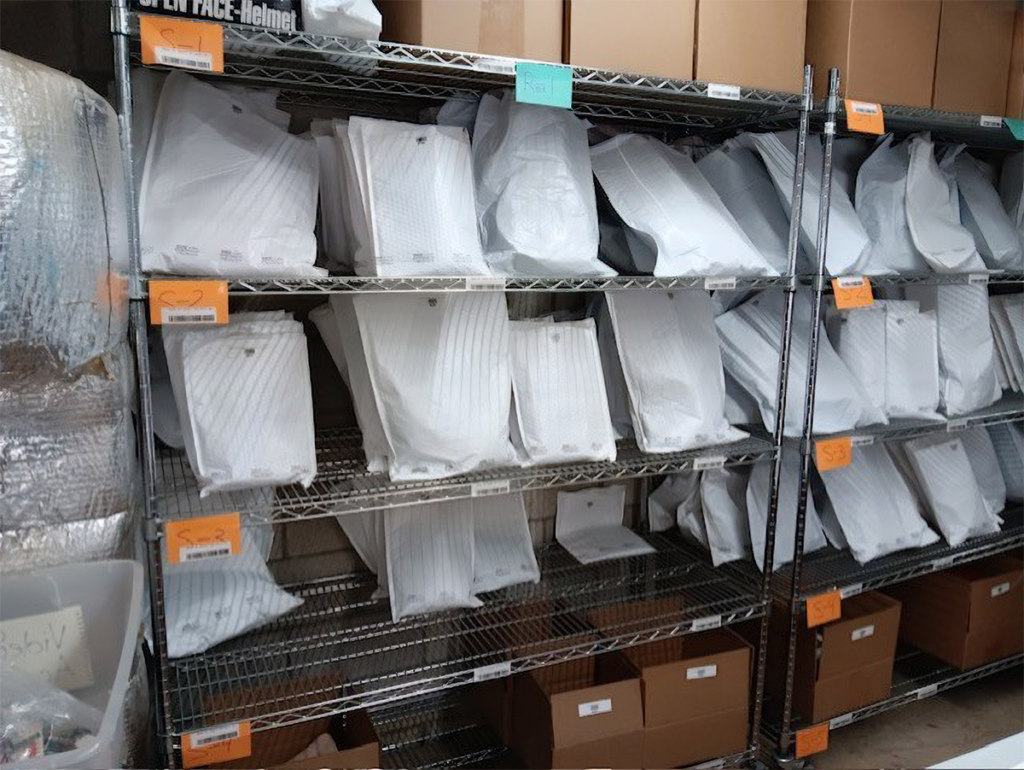
- Avoid Unnecessary Boxes: For small, lightweight, and non-fragile items like jewelry and apparel, use poly mailers or bubble mailers instead of boxes. Shipping 100 packages per day, 5 days a week, can save more than $1,500 by choosing a poly mailer over a box (based on standard rates).
Key Insight: “Basically, if the item does not need protection, don’t put it in a box. It’s unnecessary.” —Kristy Shaver
- Carrier Choice for Lightweight Items: USPS is the most cost-effective for small, lightweight packages because it does not have minimum billable weights or tiers, unlike FedEx/UPS, which often charge at least the 1-pound rate.
- Bulk & Reused Supplies: Order boxes and core materials in bulk to maximize discounts. Consider vendors offering misprint or reusable boxes for savings of 24% to over 50%.
- Webinar Efficiency Tip: Organize supply stations for quick access and assign a team member to restock supplies before they run out, preventing workflow stops.
Cost Saving: Media Mail for Books and Media
For qualifying educational or informational materials, like books, CDs, or DVDs, Media Mail is the industry standard for cost savings.
- Cost Advantage: Media Mail is consistently the most cost-effective option, often coming in significantly lower than Ground Advantage or FedEx Ground.
- Qualification Matters: Shippers must be aware of the criteria, as USPS may refuse or penalize shipments containing non-qualifying items; for example, video games are not permitted.
- Always Compare: Even though Media Mail is the cheapest 95% of the time, always run a quick comparison, especially for heavier or local shipments, as Ground Advantage may occasionally offer a better rate.

Advanced Strategies for Margin and Loss Control
To maintain a healthy shipping margin, ongoing analysis and a willingness to invest in the right equipment are necessary.
- Know Your Shipping Margin: Track the difference between Shipping Paid by Customer and Label Cost. This margin is the key data point for deciding whether to offer penny shipping or free shipping promotions, and for adjusting carrier rate percentages on marketplaces like ShopGoodwill.
- Use the Formula: Shipping Margin = (Shipping Paid by Customer – Label Cost) / Shipping Paid by Customer
- Audit Carrier Bills: Periodically compare FedEx/UPS bills. The price in Lister is an estimate. If a shipper enters incorrect weight/dimensions, extra fees will appear on your carrier bill, not in Lister. This analysis helps identify which shippers need additional training.
- Invest in Efficiency Equipment: For large organizations, equipment like box-making machines can reduce cardboard costs by up to 30% and significantly lower the need for expensive void fill, such as bubble wrap.

Learn More About Upright for Your Business
Want to optimize your shipping process with Upright’s tools?
Book a demo with our Growth Team and explore how we can improve efficiency and save you money.