


For many thrift stores and resale teams, listing inventory online feels like starting from scratch every time. Each lister writes titles a little differently. Descriptions vary in quality. Small typos slip through. And as volume increases, scaling the operation feels far more painful than it should.
In Upright’s recent Master Class, the team unpacked how builder templates transform listing from a manual, error-prone task into a repeatable, scalable e-commerce listing workflow. This article highlights the most practical takeaways from that session and explains why listing templates are becoming essential for thrift stores selling online.
If your team is trying to list faster, reduce listing errors, or standardize product descriptions across marketplaces like eBay, this recap will provide the necessary context and direct you to the full session for a deeper dive.The Real Problem: Listing Takes Too Long
Most resale operations don’t struggle because of demand; they struggle because listing inventory is slow and inconsistent.
Common pain points include:
- Listers are rewriting similar titles and descriptions over and over.
- Copying old listings that may already contain errors.
- Inconsistent formatting across categories and marketplaces.
- Typos and missing details that create rework later.
- Difficulty training new listers to “write like the best ones.”
When listing relies on individual writing skill instead of process, speed drops, and quality varies. This is especially true for thrift stores selling online, where inventory is unique but still follows predictable patterns.
The promise of builder templates is simple: remove unnecessary writing, reduce guesswork, and standardize what “good” looks like.
What is a Product Listing Template (in Plain English)?
A product listing template is a reusable structure that automatically generates listing titles and descriptions based on structured inputs.
Instead of asking a lister to write a listing from scratch, the template prompts them to fill in specific fields, such as brand, category, condition, size, or material. The template then assembles those inputs into a finished listing using predefined rules.
Listing templates work best for:
- Repeating product types (your bread-and-butter categories).
- Items with shared similar attributes across listings.
- Teams that want speed without sacrificing quality.
The outcome that both listers and managers care about most is fewer manual steps. Less writing means faster throughput, fewer errors, and more predictable results across your resale listing software.
Why Listing Speed Matters More Than People Think
When teams list faster, more items go live. More live listings mean more opportunities for sales. Over time, even small inefficiencies compound into major operational bottlenecks.
Speed isn’t the only factor; consistency matters just as much:
- Buyers trust listings that follow a clear, predictable structure.
- Consistent descriptions reduce questions and returns.
- Standard formatting enhances the appearance of listings across marketplaces.
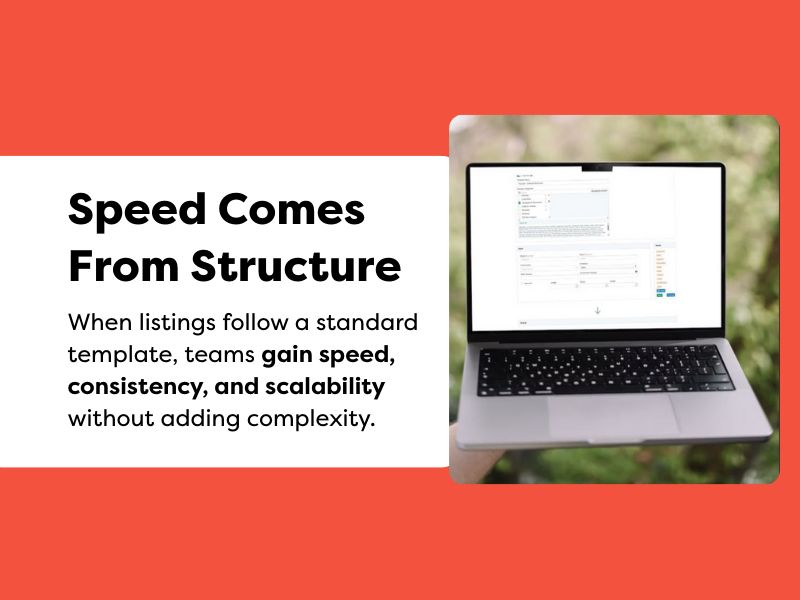
In the Master Class, Upright demonstrated how listing templates quietly eliminate duplicate work. They reduce typos, eliminate formatting debates, and provide every lister with the same starting point, regardless of their level of experience.
The Core Model: Inputs → Variables → Outputs
Inputs
Inputs are the fields that listers fill out. These might include:
- Brand
- Item type
- Condition
- Size or dimensions
- Material or color
The key is structure. Using dropdowns, checkboxes, and numeric fields instead of free text helps reduce errors and keeps listings consistent.
Variables
Variables act as connectors. They pull data from the inputs and place it into the listing.
One critical detail emphasized in the webinar: variable names are case-sensitive.
A single mismatch can break the output, which is why previewing templates before publishing is essential.
Outputs
Outputs are the finished title and description. Using variables, the template generates listings that follow the same logic every time.
This model, moving from inputs to variables to outputs, is what makes a scalable e-commerce listing workflow possible.
Don’t Start From Zero: Use Starter Templates
One of the strongest recommendations from the Master Class was not to build everything from scratch.
Most Upright accounts come with starter templates for common categories. Instead of recreating them, teams should duplicate and customize.
Top benefits of templates:
- Proven structures are less likely to break.
- You move faster.
- You avoid subtle variable or formatting errors.
In the full webinar, our e-commerce experts demonstrate how duplicating an existing template provides a safe foundation, especially for teams new to listing templates or eBay listing workflows.
Build Templates That Listers Actually Follow
A template only works if listers use it correctly. That means design matters.
Best practices from the session include:
- Choosing the right input types (dropdowns over free text whenever possible).
- Writing clear, descriptive labels so listers don’t guess.
- Arranging inputs in a logical, easy-to-scan order.
- Reducing typing to limit typos and inconsistencies.
Pro tip: Use the tag or copy option for variable names instead of retyping them. This small habit prevents errors that can cause output issues.
Real-World Example: Handling “Other” Without Breaking the Listing
One standout example from the Master Class involved musical instruments.
When a lister couldn’t find a specific option, like “Ocarina,” the template allowed them to select “Other.” That choice triggered a secondary, hidden field to capture the exact detail without cluttering the listing.
At the same time, formatting controls ensured:
- Titles followed the same structure.
- Capitalization stayed consistent.
- Spacing and order remained clean.
Edge cases are inevitable in the resale market. Well-built listing templates accommodate those exceptions instead of forcing listers to revert to manual writing.
Category Mapping: Why the Wrong Template Loads
Category mapping is a common source of confusion.
The basic rules:
- Each category can connect to one builder template.
- One template can serve multiple categories.
The most frequent issue occurs when older or default templates are still linked. When that happens, listers see the wrong inputs, and listing slows down.
Best practices include:
- Unlinking conflicting templates when creating a new one.
- Communicating changes clearly to the team.
- Treating template updates as process changes, not small tweaks.
This is especially important in an eBay listing workflow, where category structure directly impacts listing fields and compliance.
Governance: Keeping Templates From Turning Into Chaos
As teams scale, the number of templates grows. Without governance, things can become messy quickly.
Recommendations from the Master Class:
- Use clear, recognizable template names.
- Leverage draft vs. published states for control.
- Be cautious when editing templates tied to multiple categories.
- Retrain listers after meaningful changes.
Small edits can have large downstream effects. Treat listing templates as operational assets, not casual experiments.
When to Bring in Help
Not every team has the bandwidth to optimize templates internally. If listings feel slow or inconsistent:
- Upright Support can help troubleshoot template and category-mapping issues: www.uprightlabs.com/support
- Upright Professional Services can build performance-optimized templates aligned to your categories: www.uprightlabs.com/professional-services
Beyond setup, Pro Services also delivers training, documentation, and KPI tracking for listing velocity and consistency, which is critical for teams serious about scaling.
What to Do Next
If this article resonates, there are two clear next steps:
- Watch the full Master Class: See builder templates created live, understand the logic in context, and explore real-world examples in depth.
- Schedule a demo with the Growth Team: See how builder templates work inside your own resale listing software and categories: www.uprightlabs.com/get-a-demo
Listing doesn’t have to be manual to be thoughtful. With the right structure, teams can list faster, reduce listing errors, and standardize product descriptions without sacrificing accuracy or control.
FAQs
What is a product listing template?
A reusable structure that generates listing titles and descriptions automatically based on structured inputs.
How do listing templates help reduce errors?
They limit free typing, enforce formatting rules, and standardize how information appears.
How do I standardize eBay titles and descriptions?
By using templates tied to categories that enforce consistent wording and structure.
What’s the difference between inputs and outputs?
Inputs collect data; outputs generate the finished listing using that data.
Why is the wrong template loading for a category?
Most often, an older or default template is still mapped to that category.
How many categories can one template cover?
One template can serve multiple categories, as long as the inputs apply.
Do I need technical skills to use listing templates?
No, templates are designed to guide listers, not require coding knowledge.